How it works
From a bottle you can't read to a label you can — in about a minute.
Thirteen steps, in the order you actually meet them. The first four take a minute and need no account. The rest happen on their own once you've saved something.
No card to start. Scan photos are never stored · Your list is never sold
Part one
Verify the bottle in front of you
No account setup, no medical history, no typing your name. You point the phone at a bottle and find out what it is.
Scan it, or type it
Scan the striped barcode, or the square 2D DataMatrix now printed on manufacturer packaging for U.S. Rx drugs, which also carries the lot number and expiry date. A pharmacy-dispensed vial's own label usually isn't scannable — type the NDC from any label instead, or just the drug name. Prescription or over-the-counter, brand or generic.
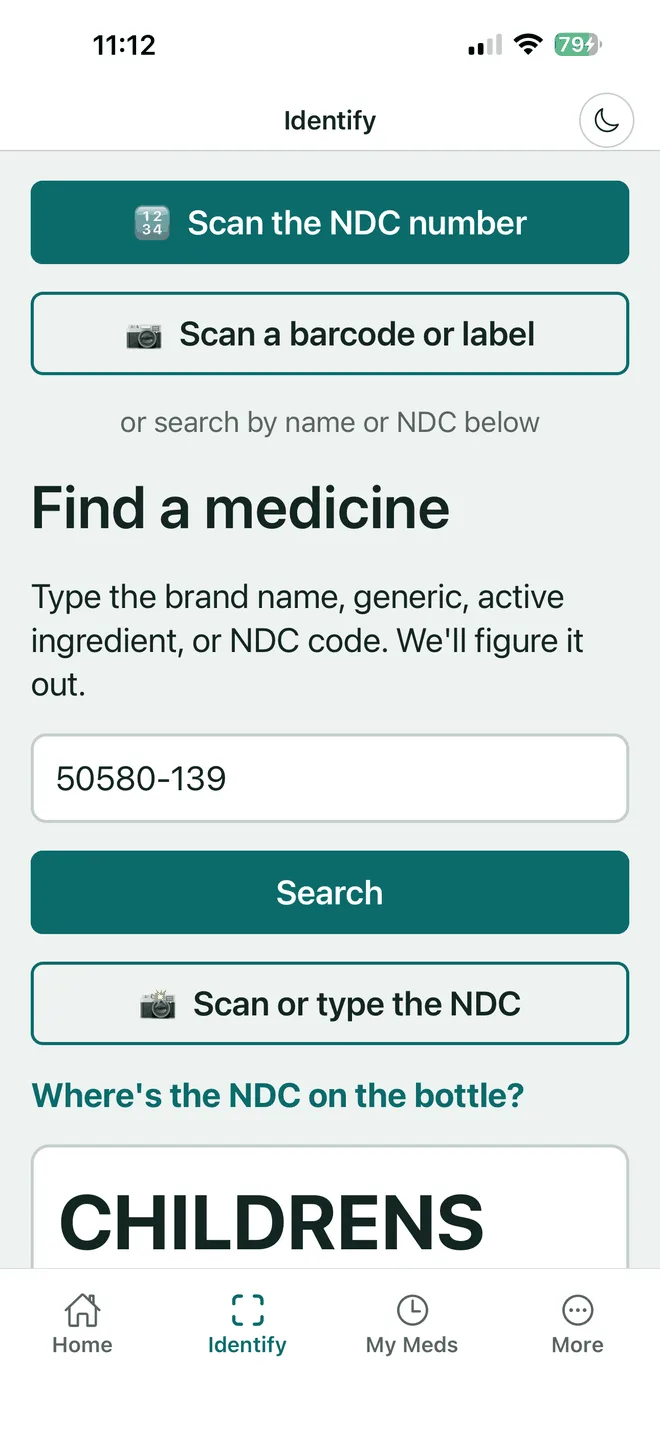
We fetch the FDA's own label
The code is matched against the FDA's openFDA database and the label published on NIH DailyMed. What comes back is the manufacturer's approved wording — not a summary, not a rewrite, and never AI-generated text.
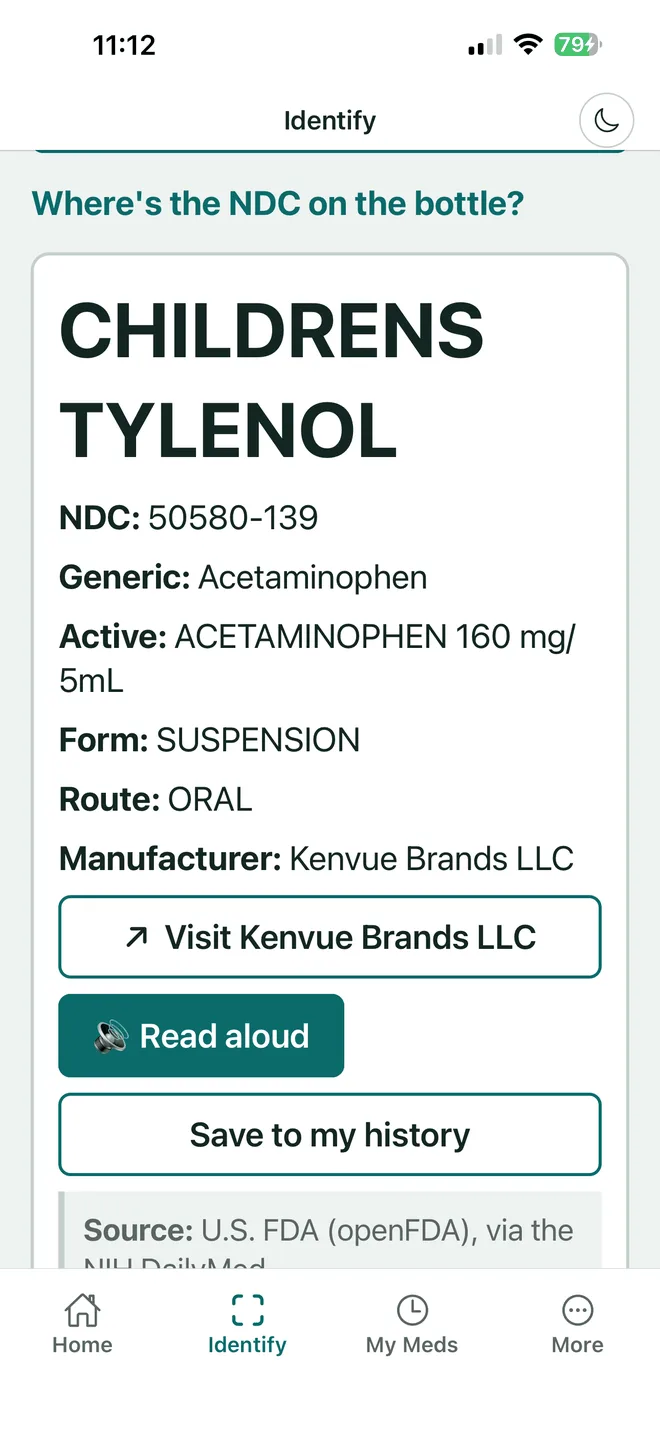
You confirm it's the right medicine
Before the full label opens or anything is saved, the app shows you what it found and asks you to confirm it matches the bottle in your hand. A scan can misread; a person looking at the box cannot be overruled by one.
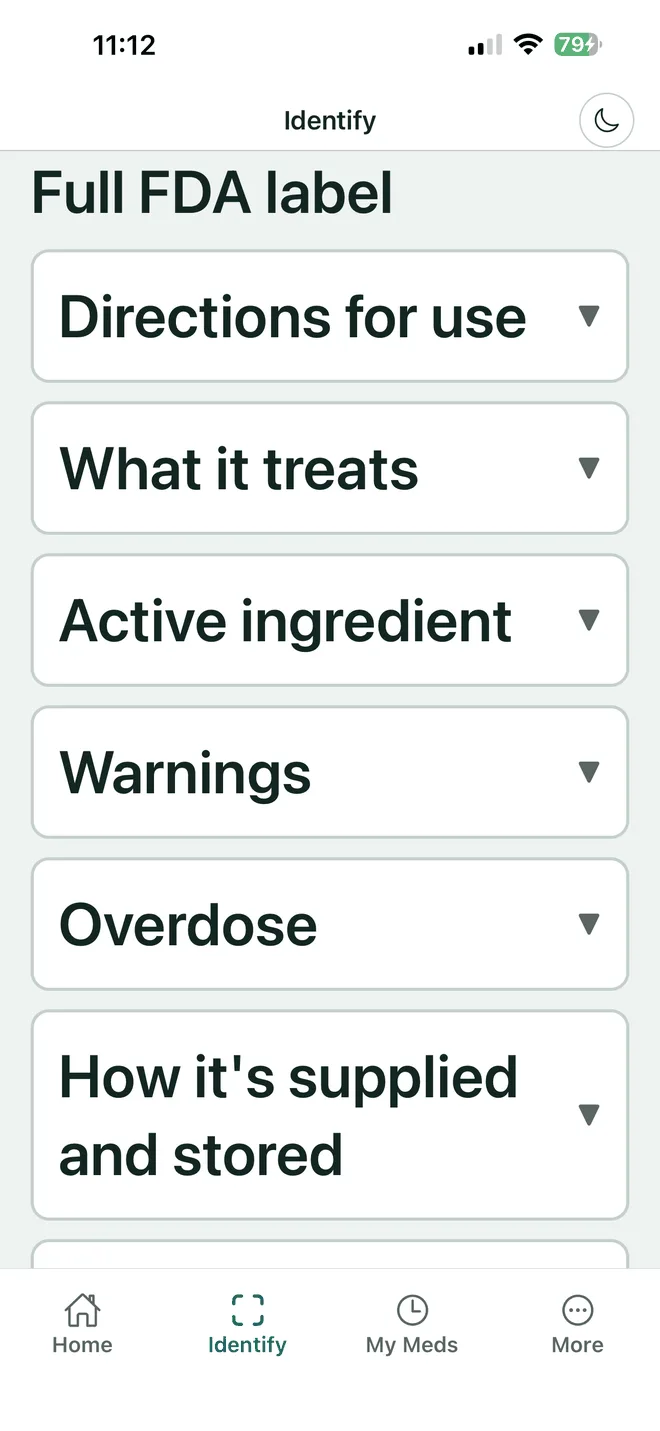
Read it in a size that works
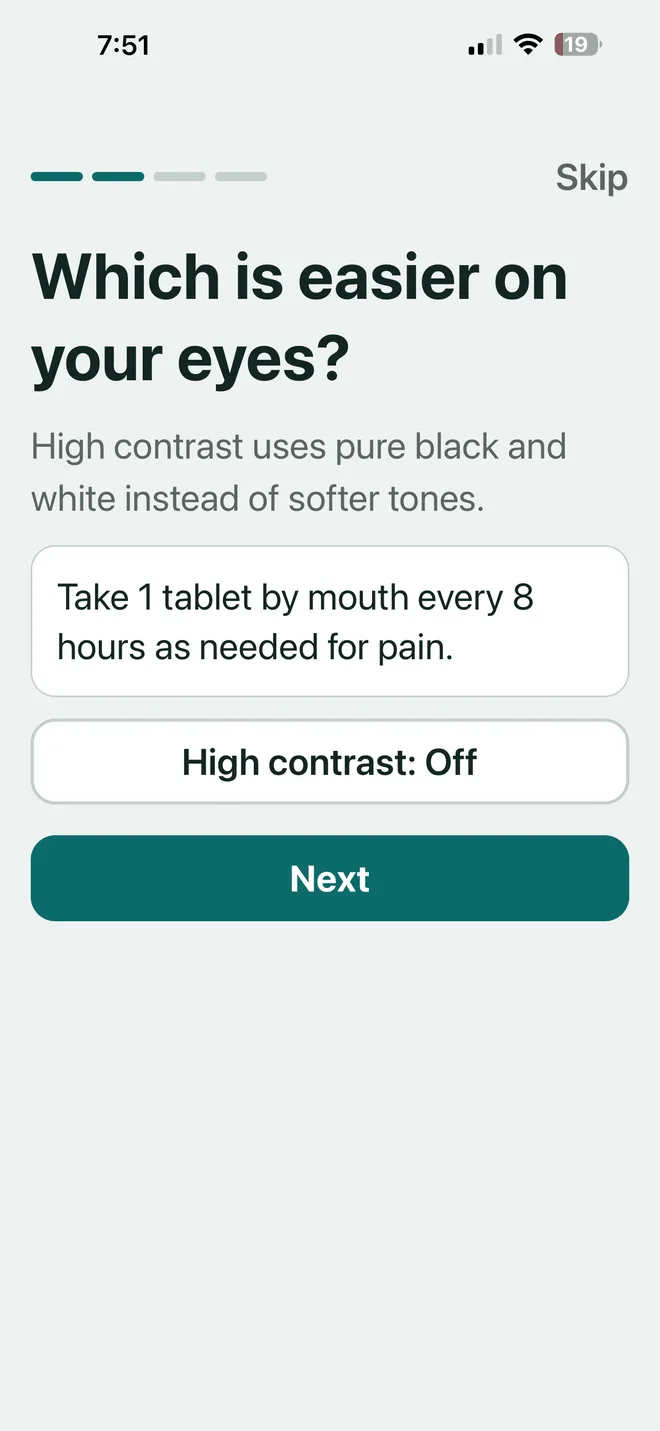
Text steps up through 18, 20, 24 and 28 point, and to 48 point in Elder mode, and the layout holds at every step. High contrast is pure black on white. Or tap read aloud and listen to any section instead — on the phone and in the browser.
Part two
Build the list once
Saving a medicine is the switch. Until you save something there is nothing to watch, and after you do, everything in part three happens on its own.
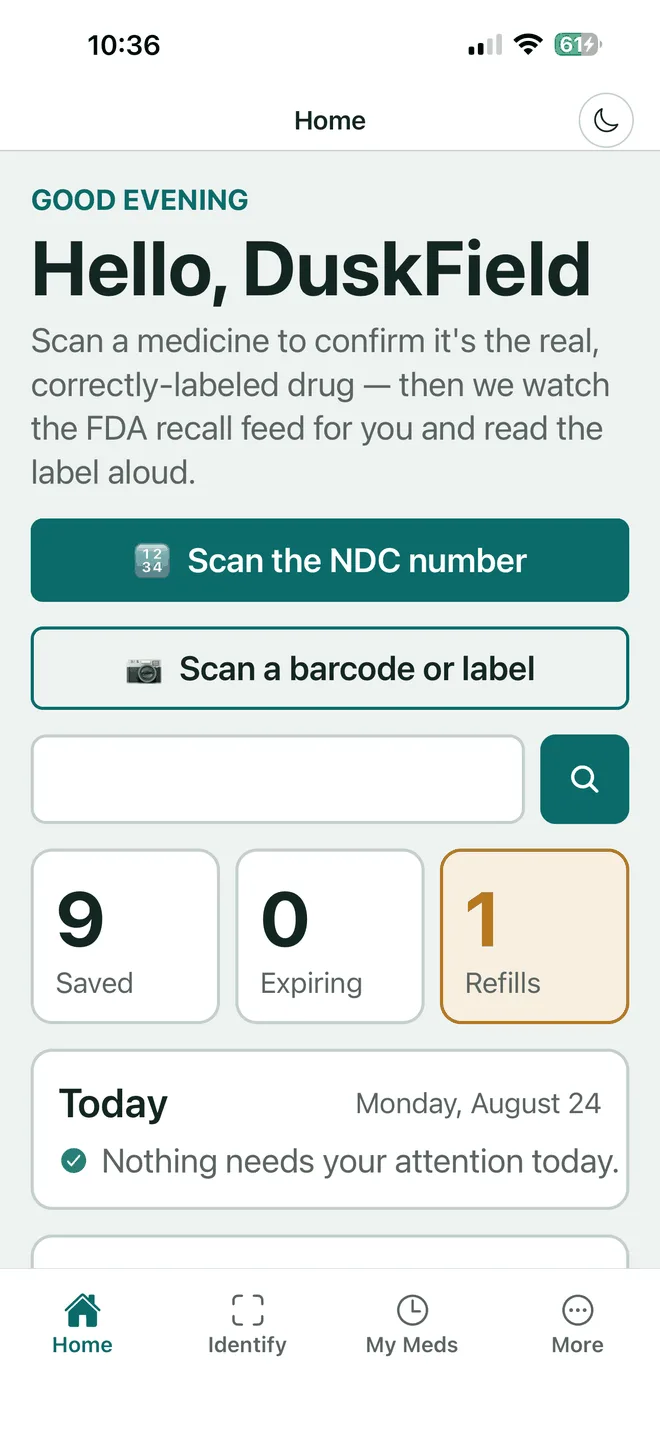
Save what you actually take
A saved medicine keeps its NDC, so everything afterwards is matched to your exact product rather than to the drug in general. The home screen then tells you what needs attention, and most days the answer is nothing.
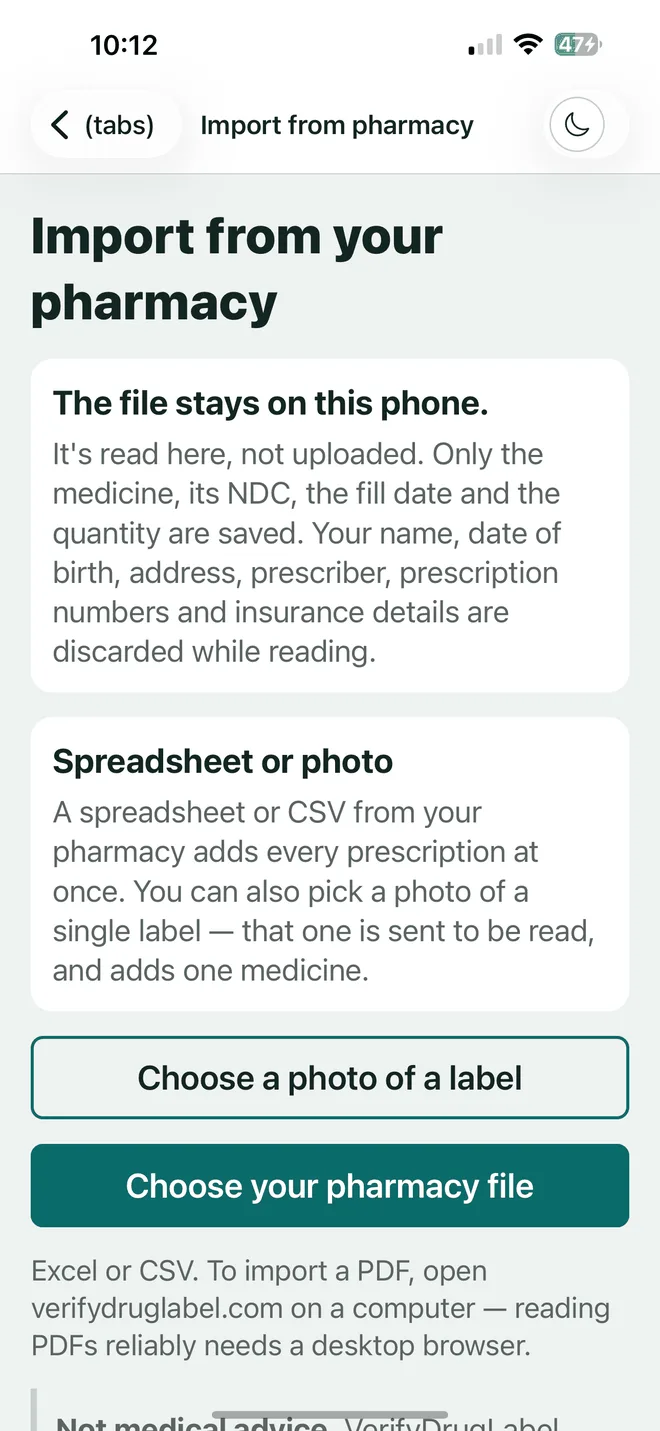
Or import the list you already have
Download the prescription record your pharmacy already offers — a spreadsheet or CSV — and bring every prescription in at once, or pick a photo of a single label. Every row is shown to you before anything is saved. The file is read on your own device.
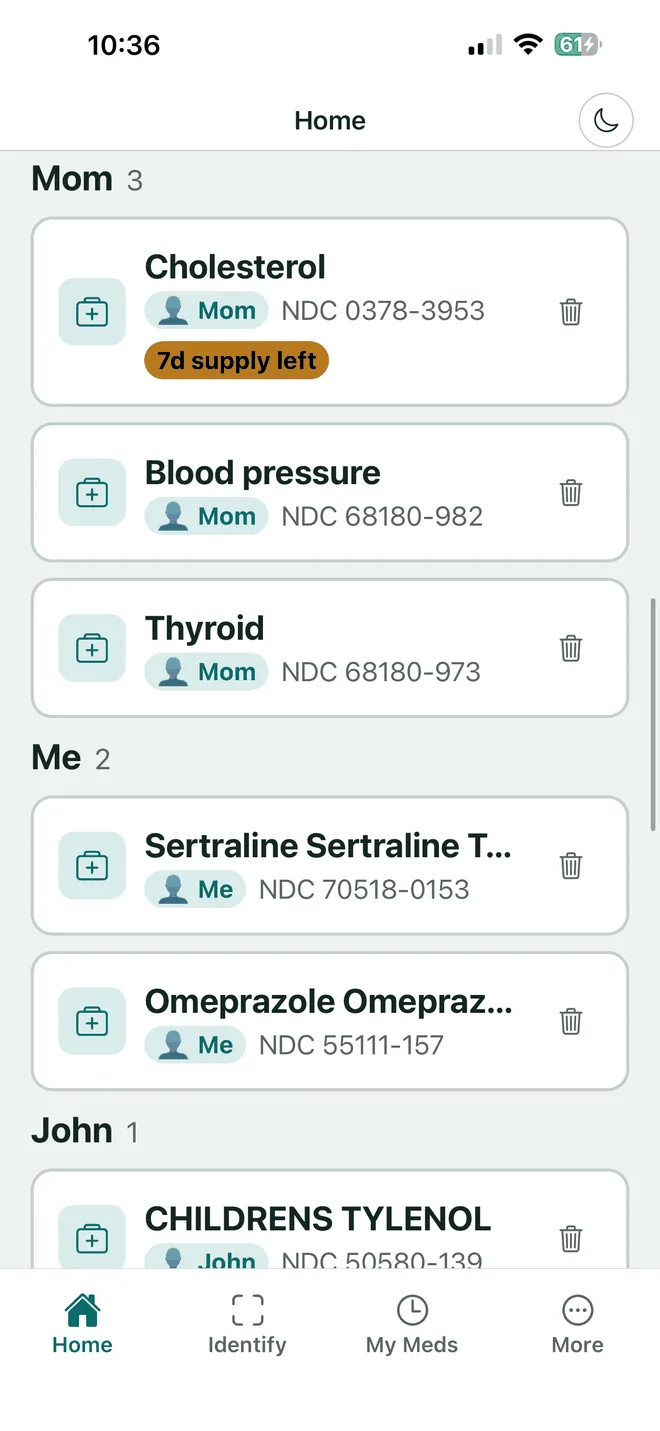
Group it by person, and record allergies
One account, one bottle list per person, so nobody's medicines get mixed up with anybody else's. Record each person's allergies once and every matching label carries the flag from then on.
Part three
Then it watches, and you don't
A lookup is free anywhere. Watching the bottle for months after you put it in the cupboard is the part that takes doing, and it is what the subscription pays for.
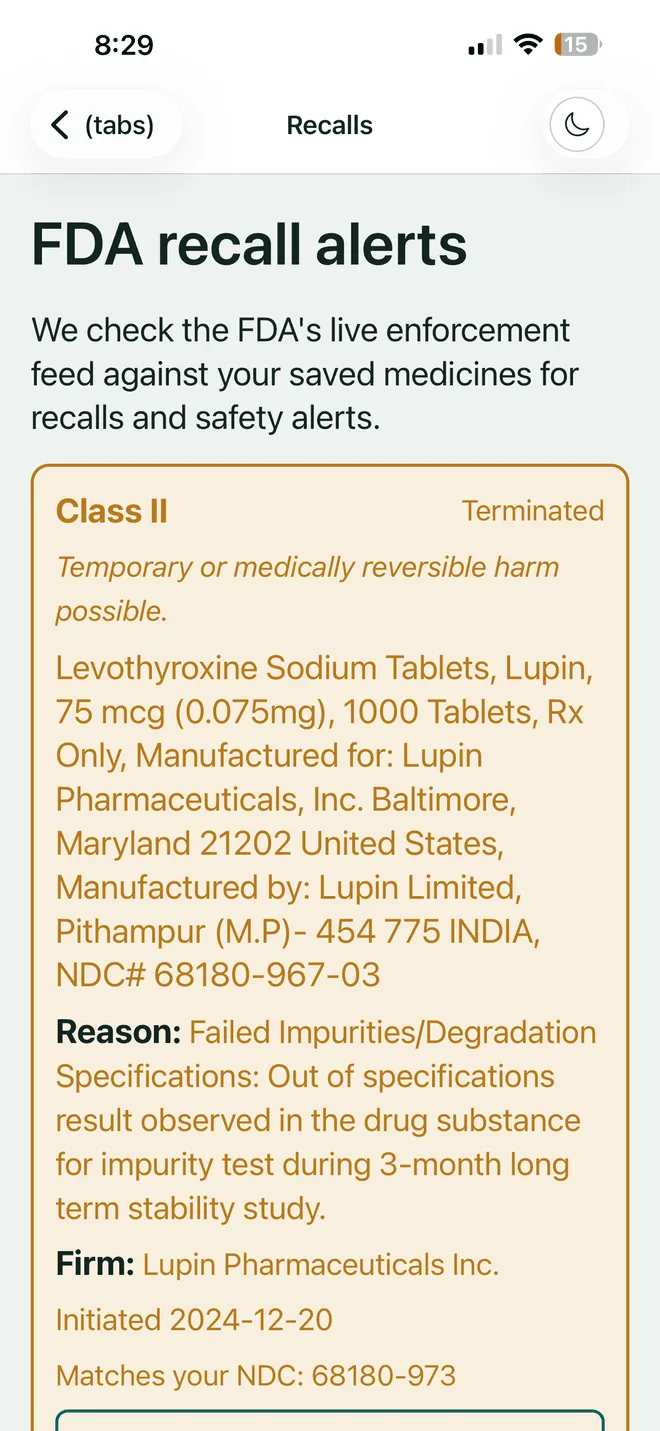
Recall watch, matched to your bottle
The FDA's live enforcement feed is checked against your saved medicines. When a recall names specific lot numbers we check yours, so you hear about your bottle rather than a headline about the drug.
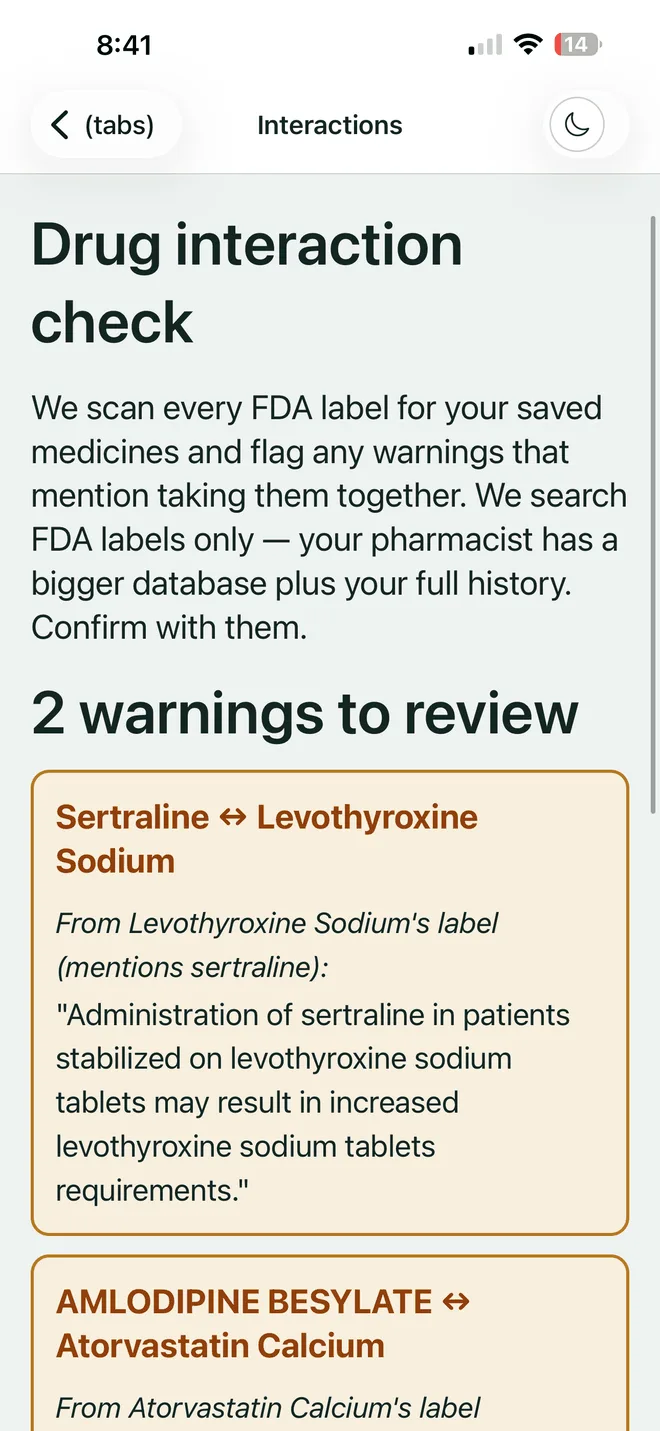
Interaction warnings, quoted not interpreted
Every saved medicine's FDA label is scanned for warnings that name another one of yours, and the sentence is shown to you word for word. The app does not diagnose, prescribe or decide what a warning means — you walk into the pharmacy with a quote instead of a worry.
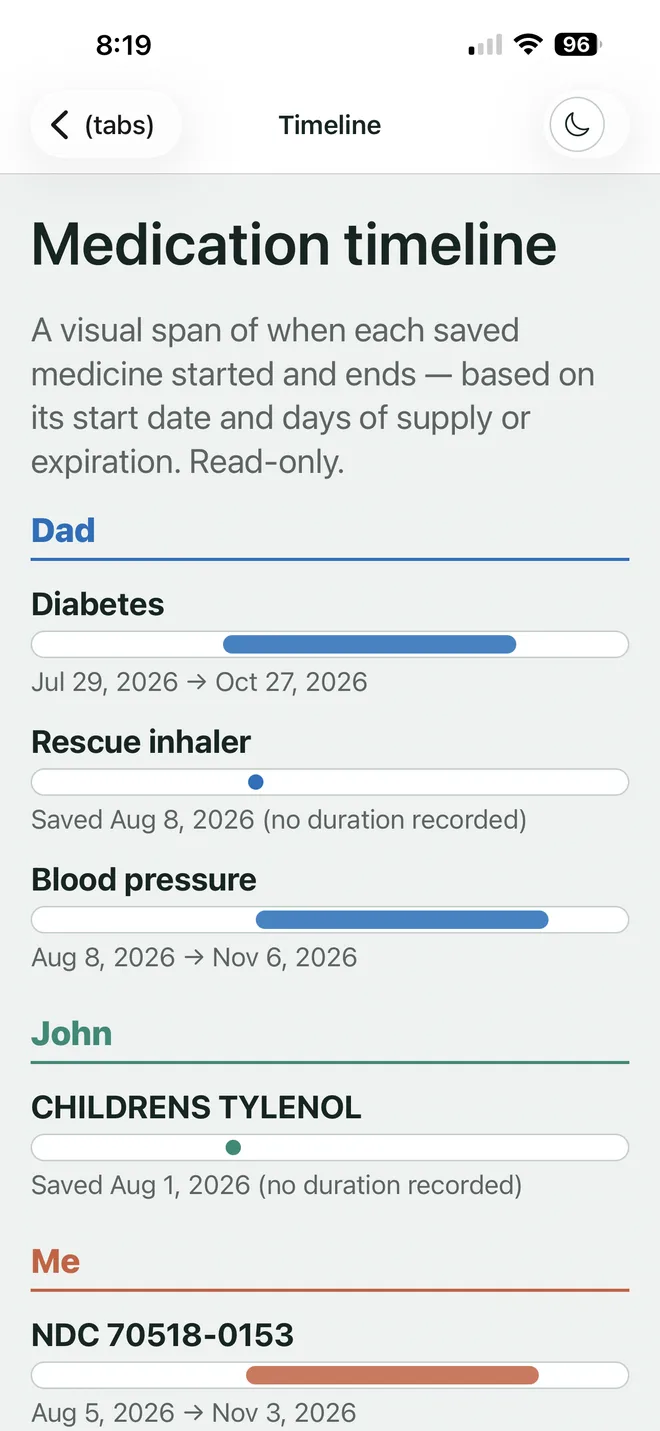
Expiry and refills, counted down
The timeline shows how long each medicine has left and when it runs out, so a bottle that expired eight months ago stops sitting quietly in the cupboard.
Part four
For the people who help you
Most of the people who need this list are not the person holding the phone.
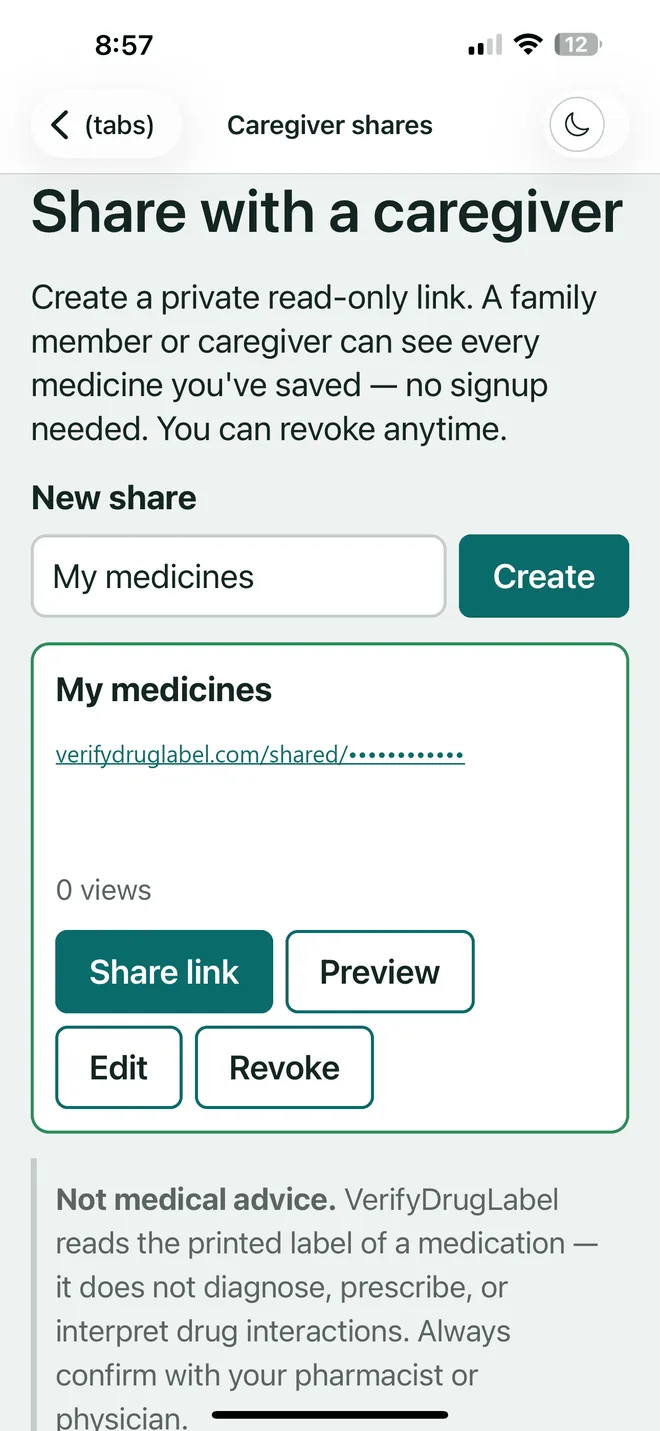
Share it without handing over your account
Generate a private read-only link. A family member or caregiver sees every medicine you've saved, with the full label and read-aloud, and never needs to sign up. Revoke it in one tap. Caregiver sharing is free on every plan, permanently.
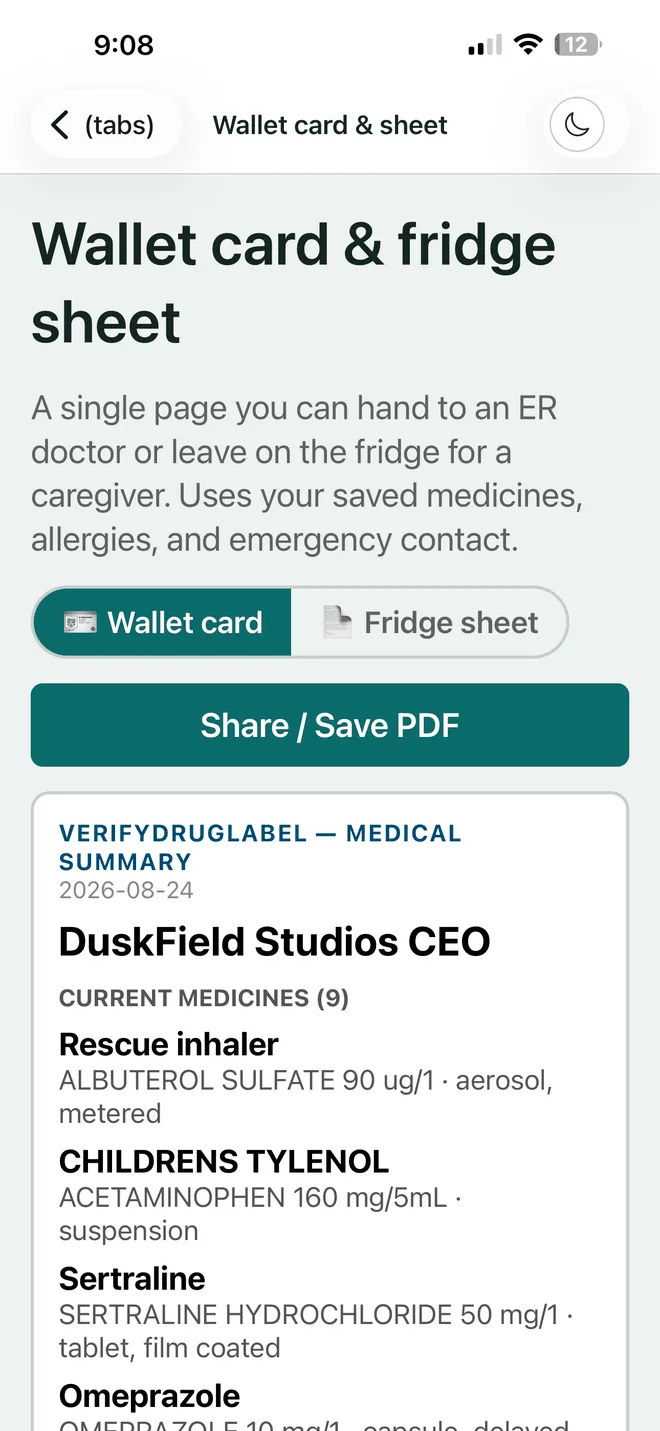
Print something for the fridge or the wallet
A wallet card for appointments and a fridge sheet for whoever is at the house. Paper works when the phone is flat, the signal is gone, or somebody else has to answer the question for you.
Part five
What it costs, plainly
7 days of the whole app, and no card is collected to start.
7 days free, then you choose
Nothing is limited during the trial and nothing is charged at the end of it. Do nothing and access simply stops on day 8. If you want to keep it, a card is taken only at that point: $2.99 a week, $5.99 a month, or $39.99 a year, which works out at $3.33 a month for the whole household.
Behind every result is the official FDA label (openFDA), via the NIH DailyMed — matched to your exact medicine, never rewritten.
VerifyDrugLabel reads the printed label of a medication. It does not diagnose, prescribe, or interpret drug interactions. Always confirm with your pharmacist or physician.
Start your 7-day free trial