Recall watch
Your bottle, not every bottle
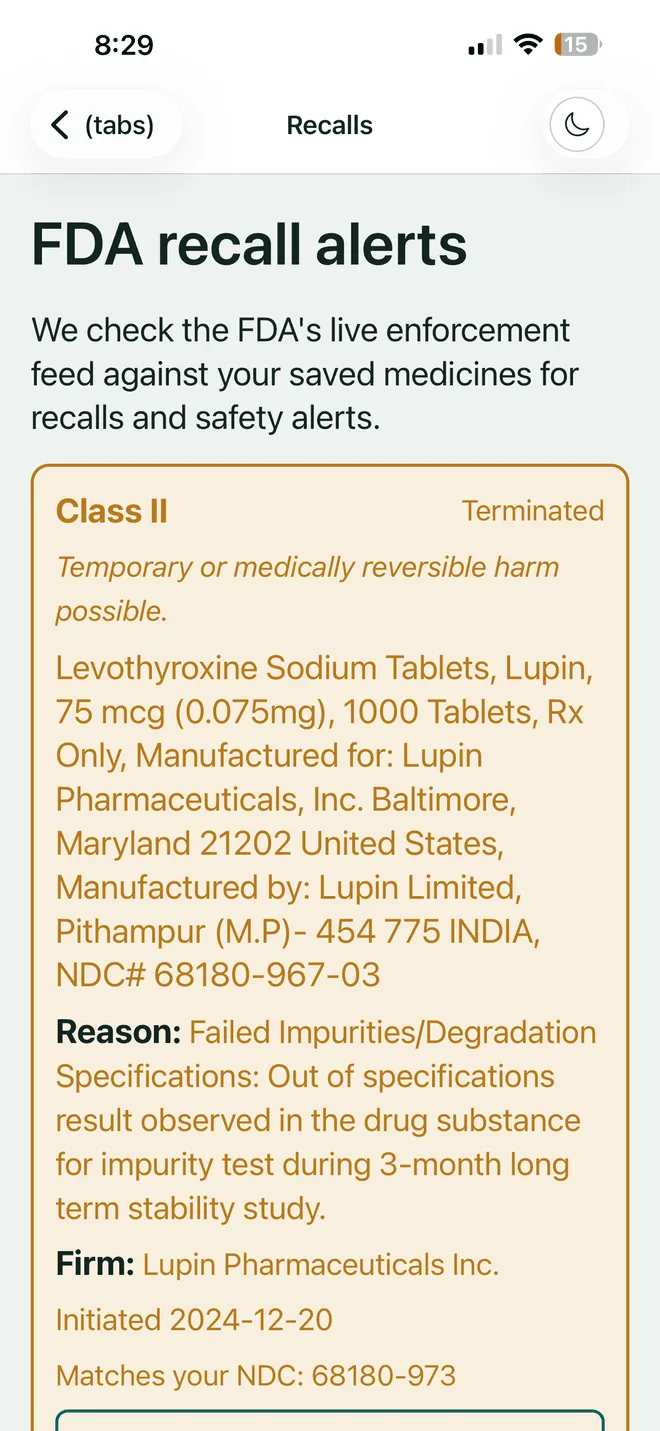
We read the FDA's live enforcement feed against your saved medicines. When a recall names specific lot numbers we check yours, so you hear about your bottle rather than a headline.
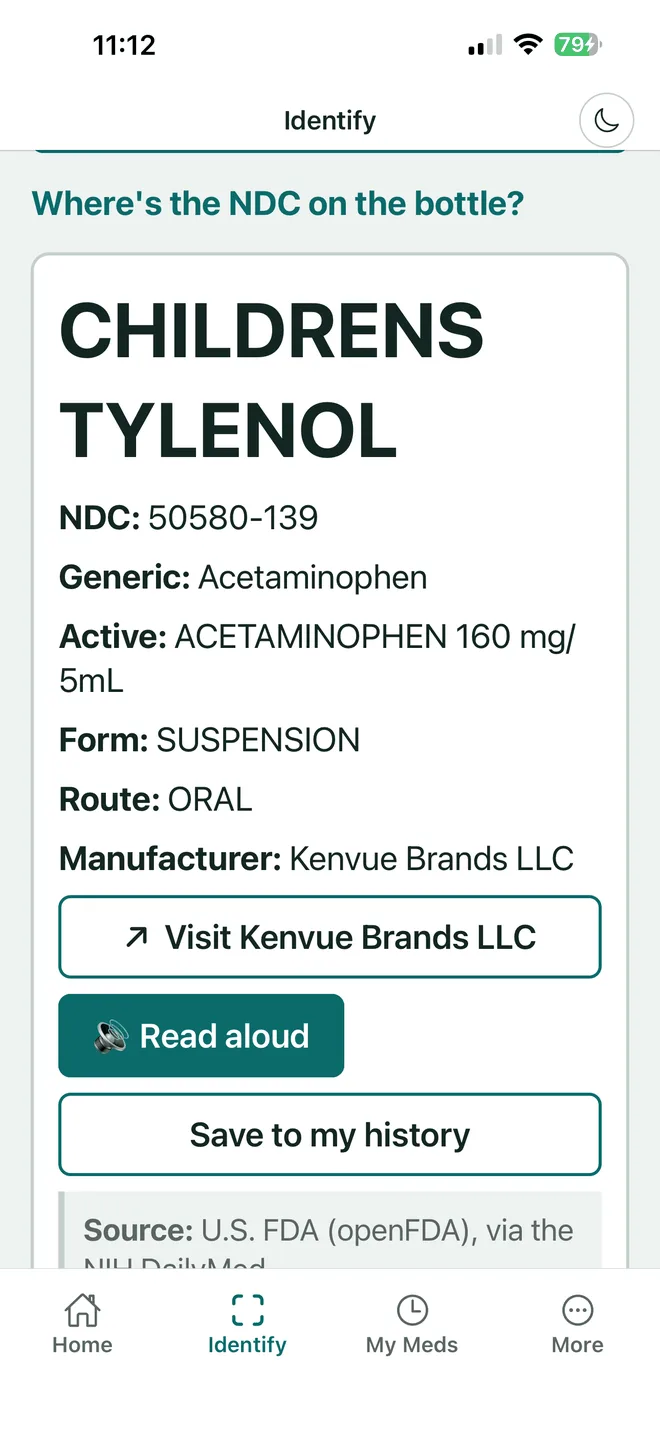
VerifyDrugLabel reads the NDC off the bottle, pulls the real FDA label — the manufacturer's approved wording, word for word — and shows it at a size you can actually read. Or reads it out loud.
Helping someone else with theirs? Save their medicines too.
Then it keeps watching that bottle long after you have put it back in the cupboard.
Scanning happens on the phone. A laptop camera cannot hold focus on a barcode, so bottle-scanning lives in the app. Everything else — the labels, the recall watch, the printable pages — works here in the browser too.
Source
openFDA and NIH DailyMed
Reads
Striped barcode, 2D DataMatrix, NDC, name
Scope
Prescription and over-the-counter
Label text
FDA wording as published — any AI plain-English version is labelled
VerifyDrugLabel gives you the same FDA data in large type, read aloud, with recall monitoring and interaction checks — so you don't have to squint, type, or remember to check.
We do not claim better data than the FDA. It is the same data — from the same source, shown as written. What you are paying for is not having to find it, squint at it, or remember to check it again next month.
Caregivers
Keep a separate list for each person you look after — their bottles, their expiry dates, their recall alerts, never mixed in with yours.
Parents
Infant and child dosing read back out loud at 2am, when the print is small and you are not at your sharpest.
Anyone 40+
The type on the bottle did not shrink. Set the label to whatever size you can read, or have it spoken instead.
Low vision
AAA contrast, type up to 72 point, and a VoiceOver and TalkBack label on every control. Built in, not bolted on.
Non-EnglishComing soon
The FDA record is published in English, so that is what we show today. Reading it back in your language is what we are building next.
Every word you need is already on the bottle. It is set at six points, wrapped round a curve, printed grey on white. Here is the same sentence, twice.
TAKE 1 TABLET BY MOUTH EVERY 8 HOURS AS NEEDED FOR PAIN. DO NOT EXCEED 3 TABLETS IN 24 HOURS. MAY CAUSE DROWSINESS — AVOID ALCOHOL AND DO NOT DRIVE UNTIL YOU KNOW HOW THIS AFFECTS YOU.
NDC 68180-967-03 · LOT 4A2219 · EXP 03/27 · QTY 30
Take 1 tablet by mouth every 8 hours as needed for pain. Do not exceed 3 tablets in 24 hours.
May cause drowsiness. Avoid alcohol and do not drive until you know how this affects you.
Drag the slider, then press listen to this label. Every screen in the app scales the same way — 18, 20, 24, 28, 36, 48 pt — and nothing breaks, because only the text scales and not the furniture.
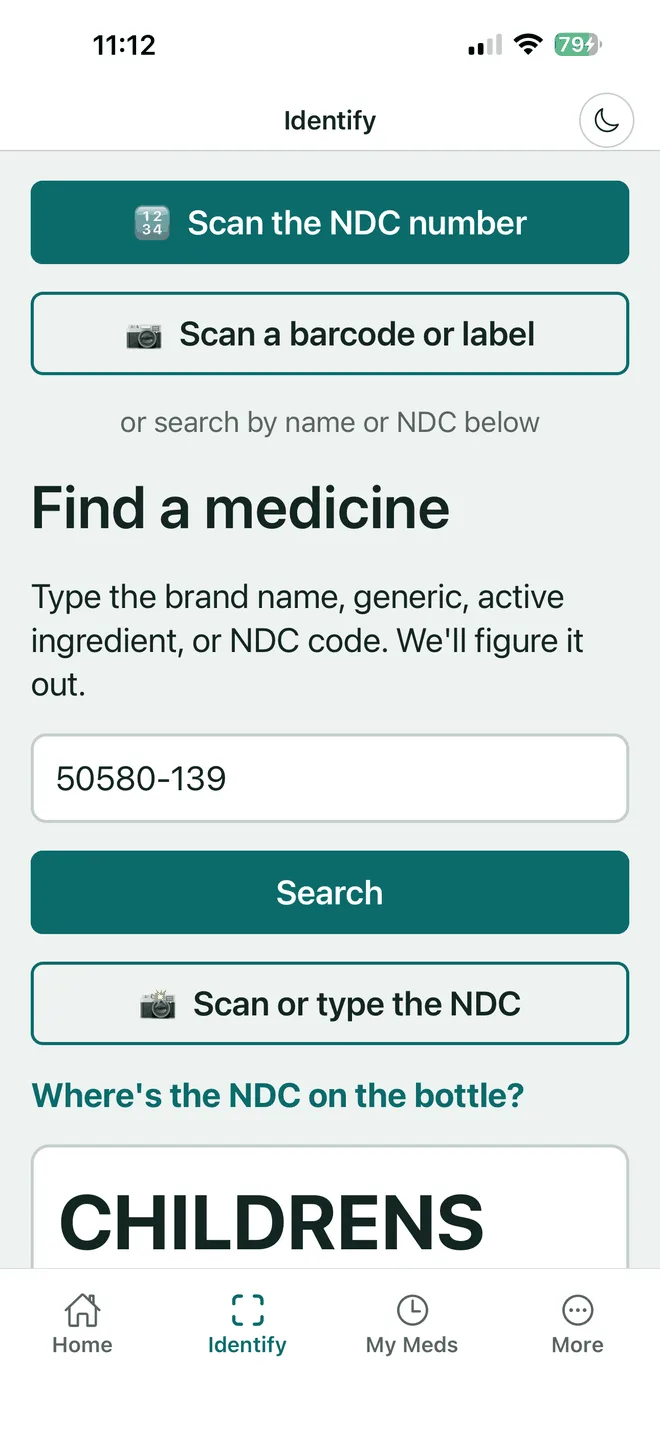
Scan the striped barcode or 2D code on manufacturer packaging, or type the NDC printed on any label — including a pharmacy-dispensed bottle. Rx or over-the-counter.
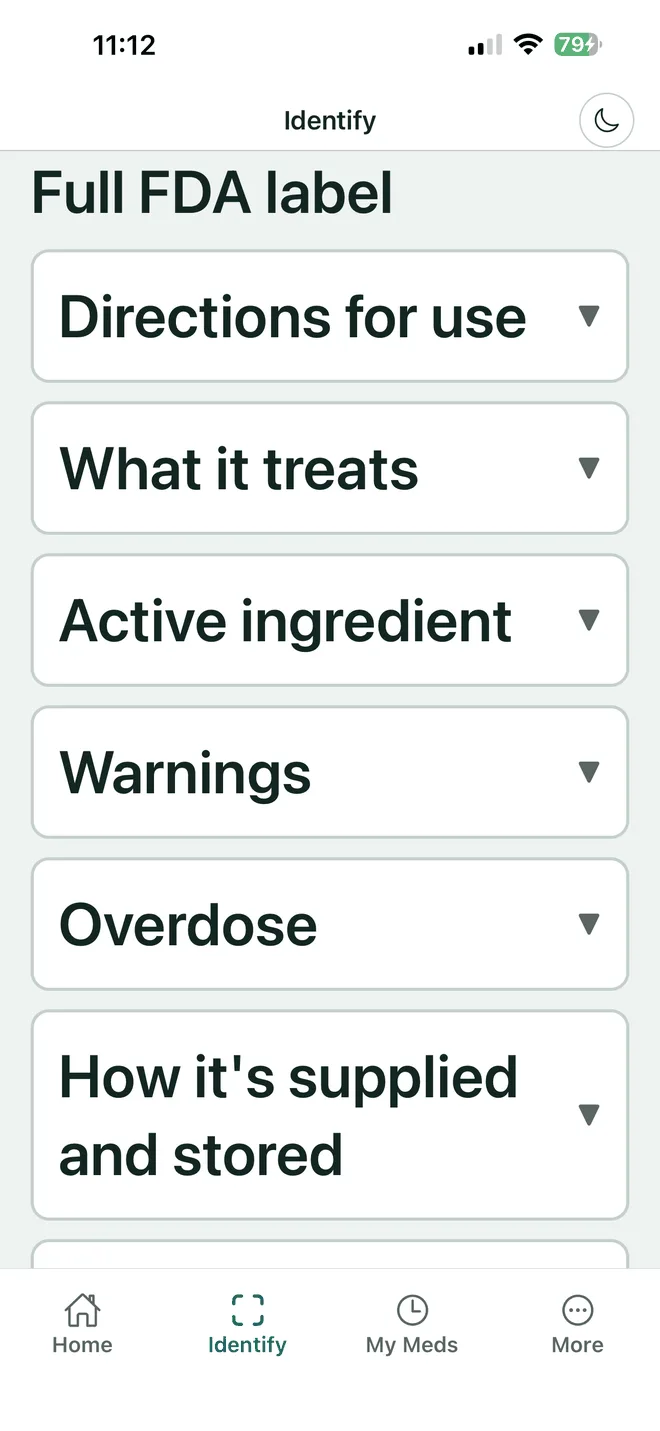
Not a paragraph about the drug. The FDA label, section by section: what it treats, directions, warnings, overdose, storage, inactive ingredients.
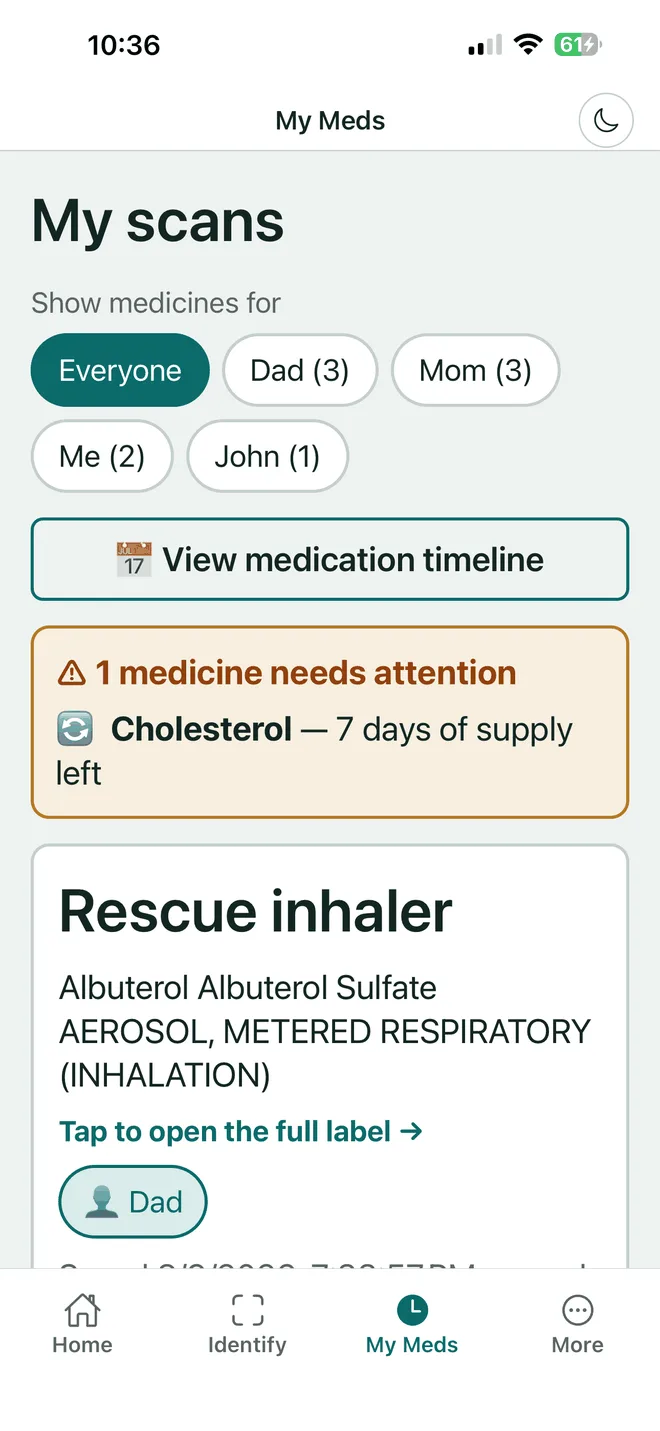
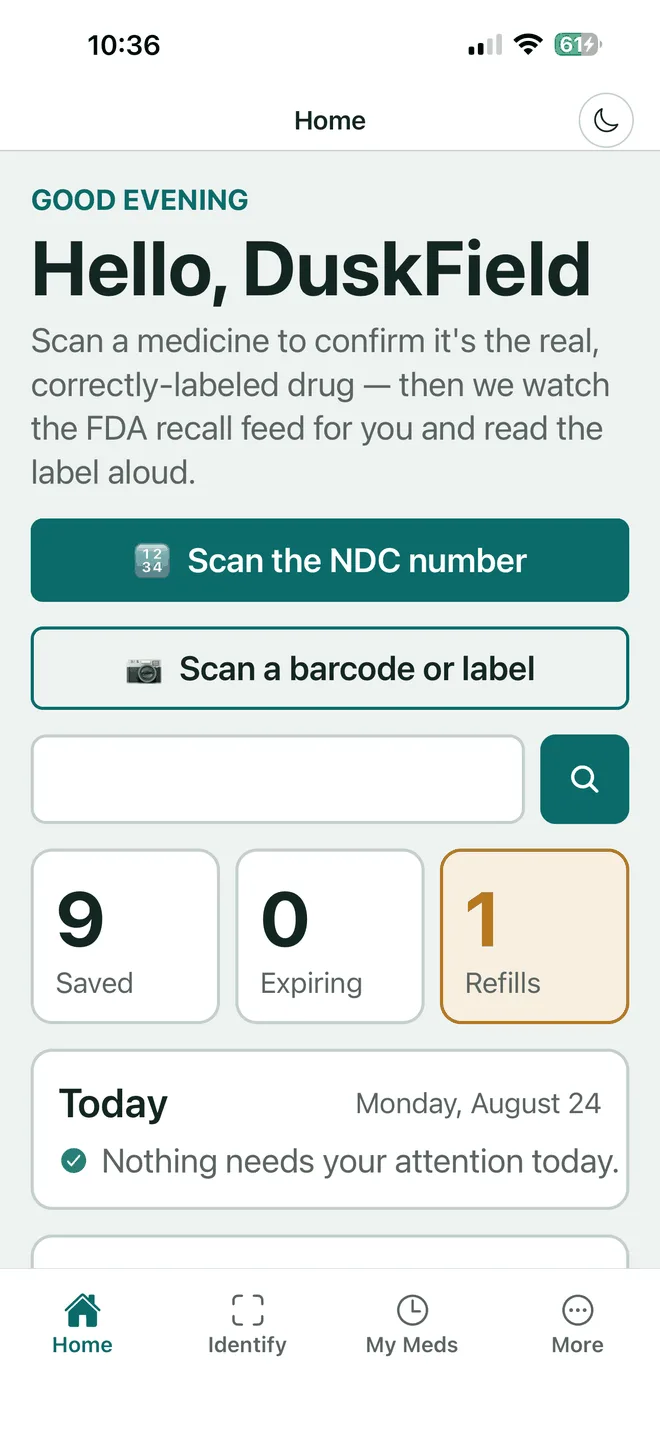
Saving a medicine is what switches the watching on. From then on the home screen tells you what needs attention, and most days the answer is nothing.
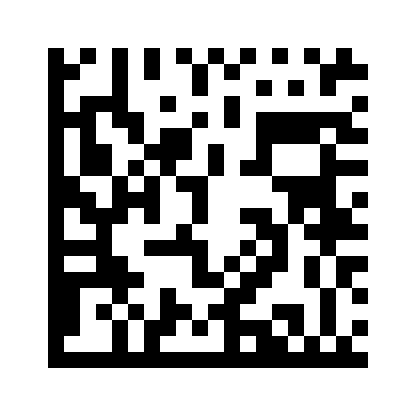
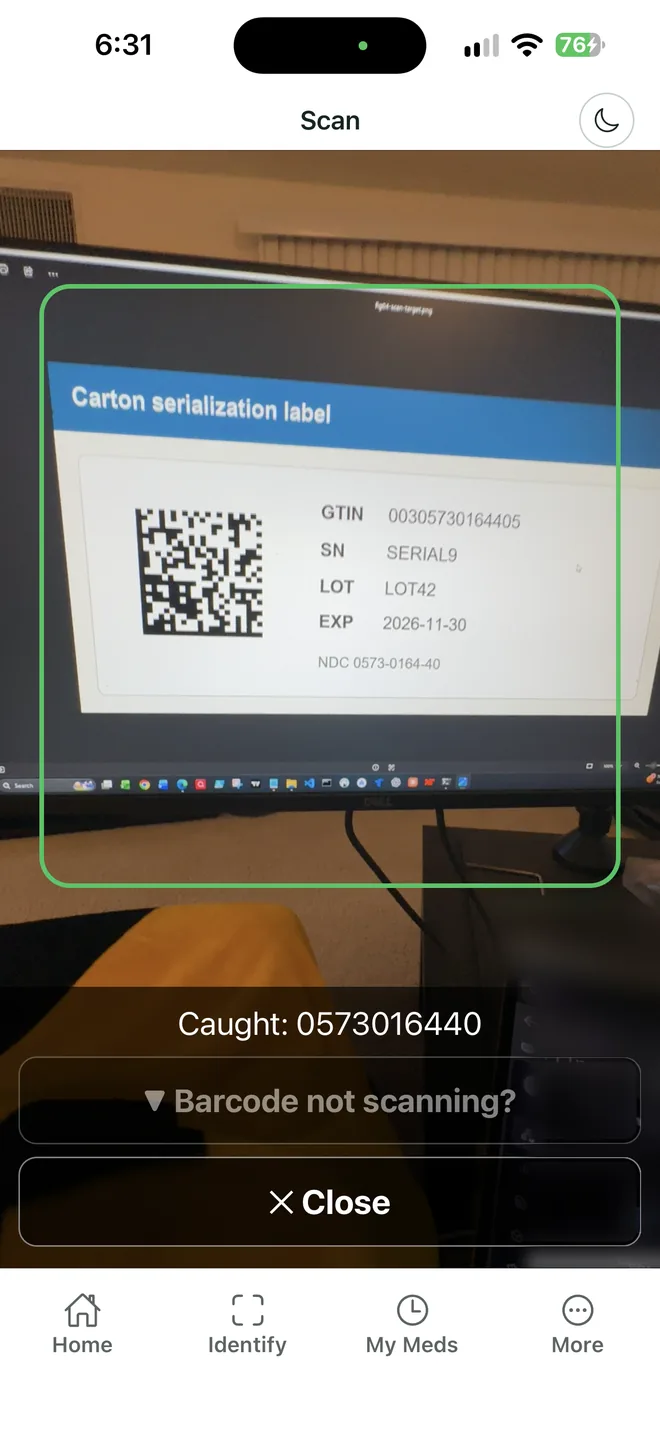
Since late 2025, U.S. packaging for prescription-only (Rx) drugs carries a small square code alongside the familiar striped one. It is a DataMatrix, and it holds three things the stripes never did: the exact NDC, the lot number, and the expiration date.
Almost nobody has noticed it. It is the reason our expiry countdowns and lot-matched recall alerts work without you typing a date — and the reason a recall naming one lot can tell you about your bottle instead of every bottle.
Look on the manufacturer's box or bottle, near the printed barcode. It is a small square of dots — not a QR code, which has three big squares in its corners. Most over-the-counter boxes carry only the stripes, and we read those too.
Already picked up your prescription? A pharmacy's own dispensing label (the one wrapped around your amber vial, with your name and the pharmacist's) covers the manufacturer's code and its barcode usually isn't scannable at all — it identifies your fill for the pharmacy, not the drug for the FDA. For a dispensed bottle, use Scan the NDC number instead; it reads the printed NDC directly off any label.
Anybody can look a drug up once. What people keep paying for is the part that runs while they are not looking: these four checks, on every medicine on the list, every day.
Recall watch
We read the FDA's live enforcement feed against your saved medicines. When a recall names specific lot numbers we check yours, so you hear about your bottle rather than a headline.
Interaction scan
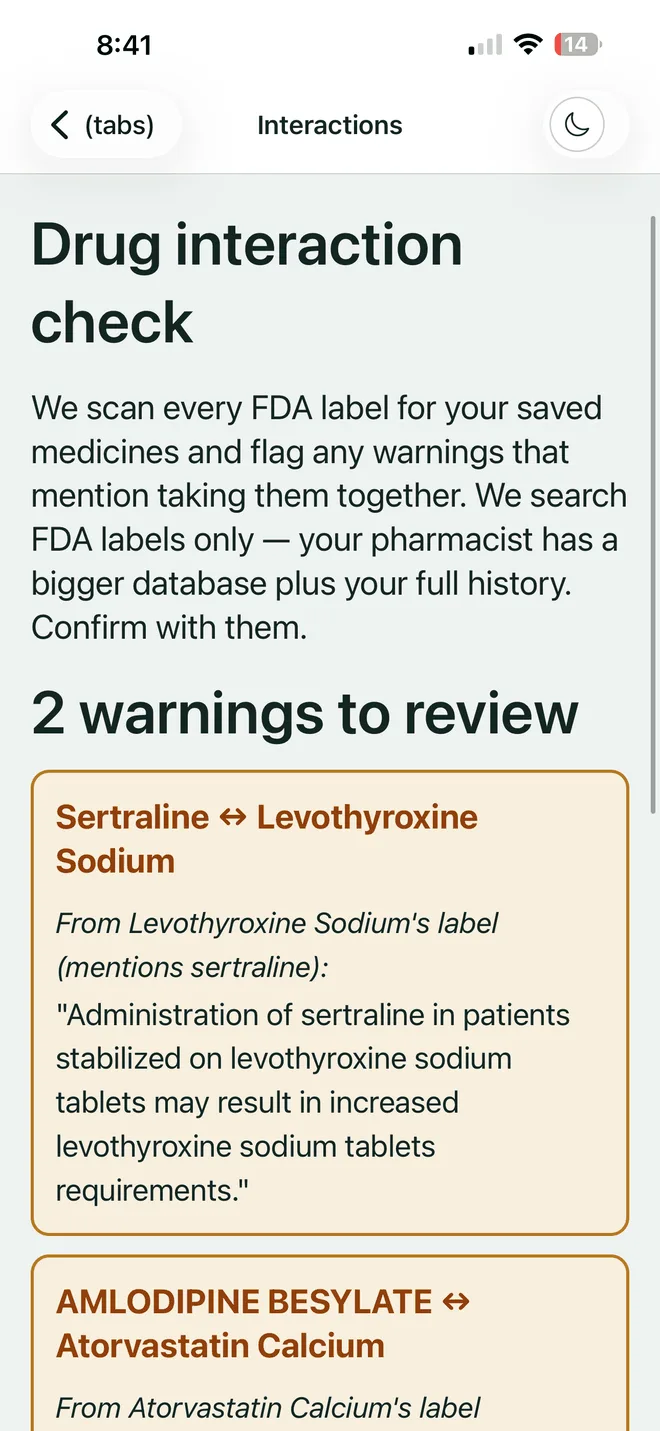
We scan every saved medicine's FDA label for warnings that name another one of yours, and show the sentence verbatim, so you walk into the pharmacy with a quote instead of a worry.
Doses and expiry
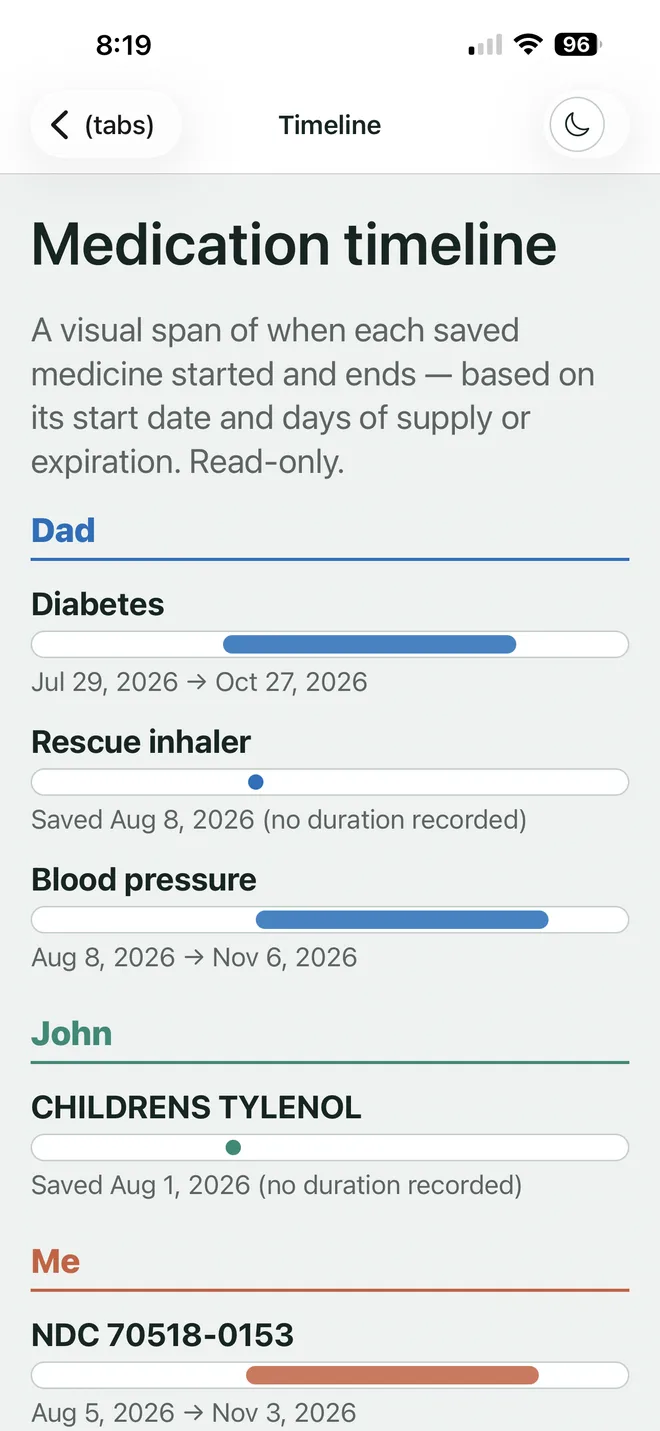
Expired, expires today, thirty days left, seven days of supply left. The timeline shows what each person was on and when — grouped by who the medicine is for, one colour each — the answer to “how long have you been taking that?” for whoever is being asked.
Dose reminders
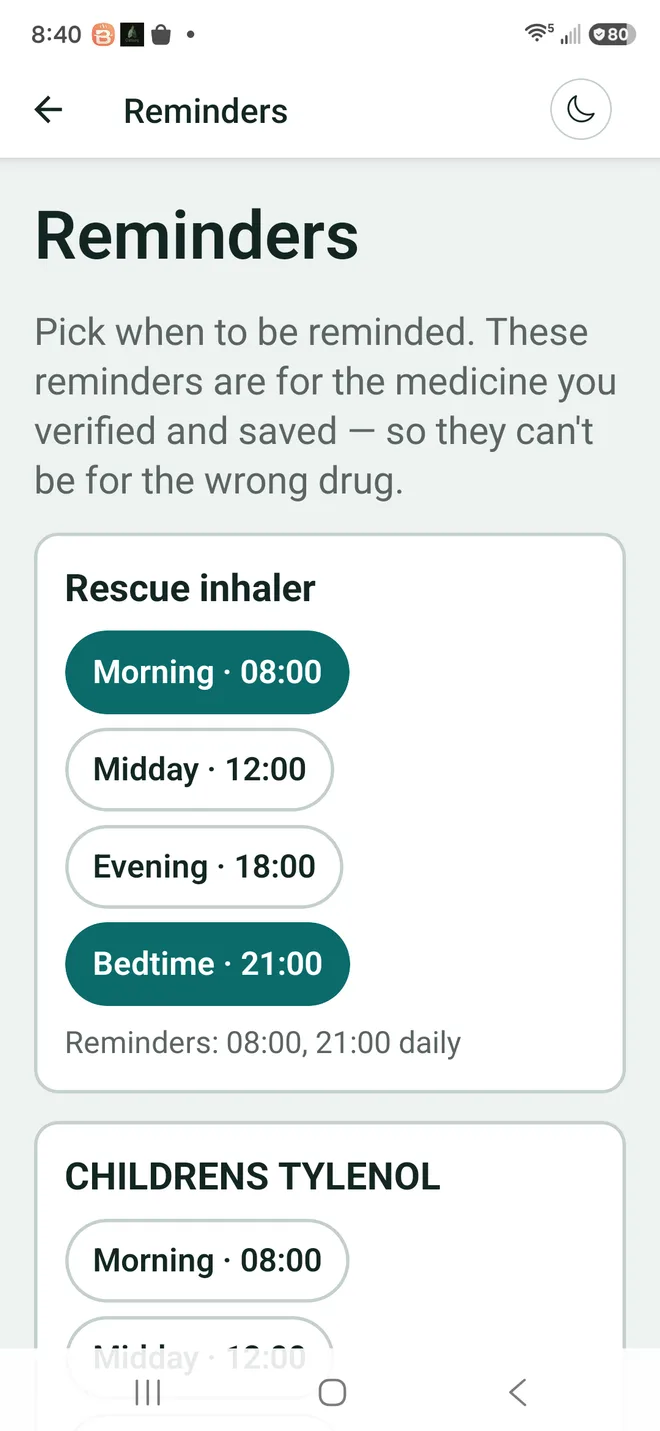
Morning, midday, evening, bedtime. A reminder attaches only to a medicine you have already verified and saved, so it can never point at the wrong drug — the failure that makes most pill reminders worth switching off.
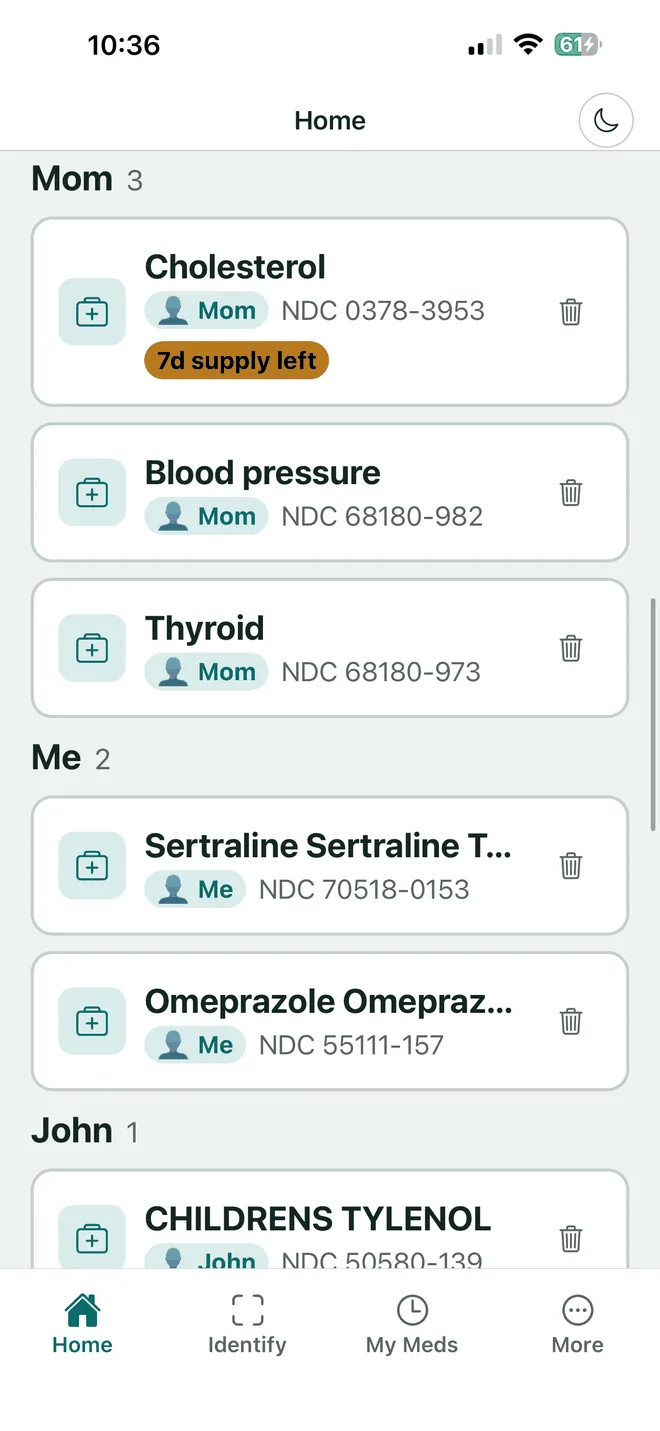
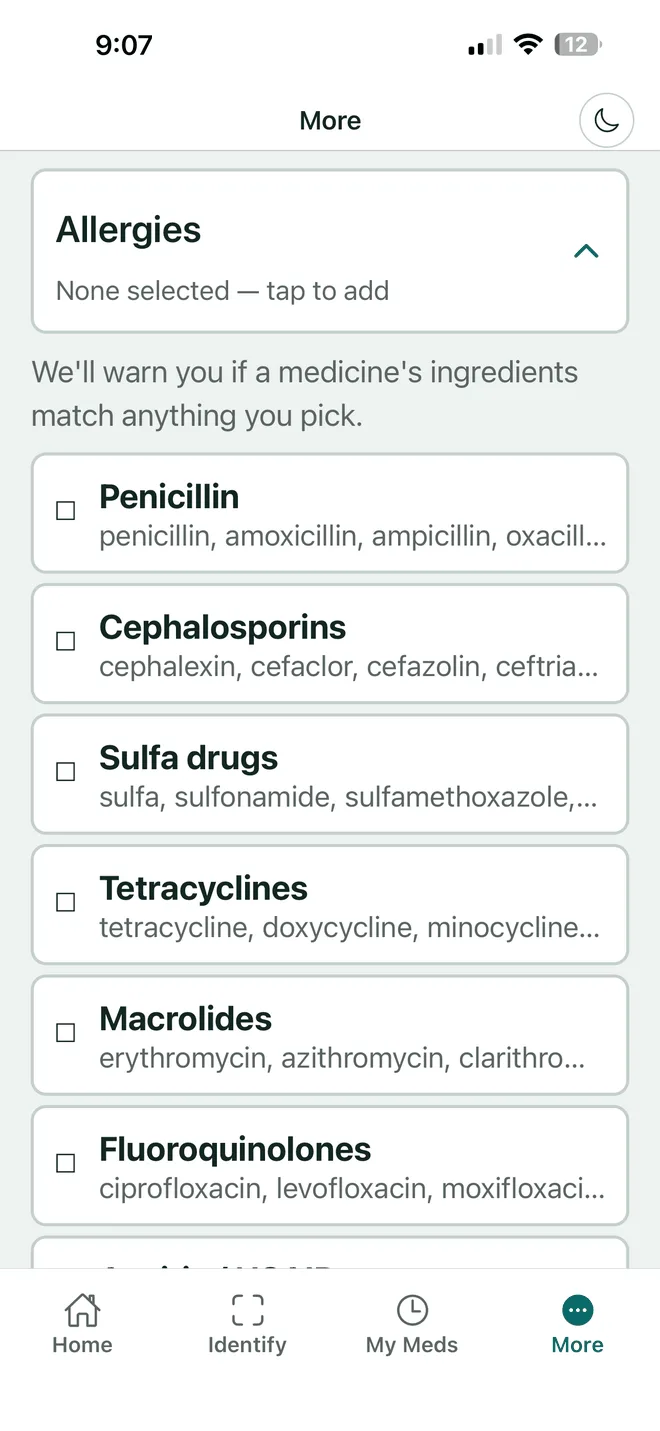
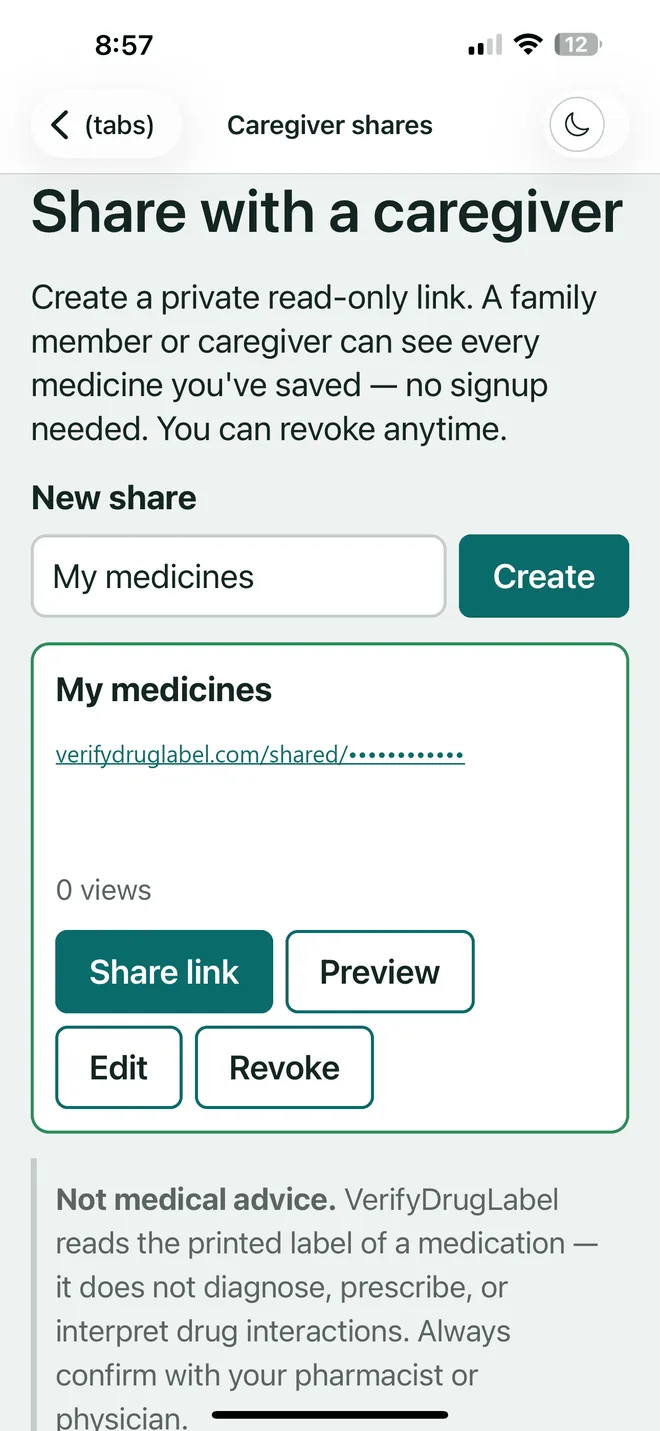
Yours, your mother's, a child's. Group medicines by person, record each person's allergies so they are flagged on every label, and give a caregiver a live view of the list without ever handing over your account.
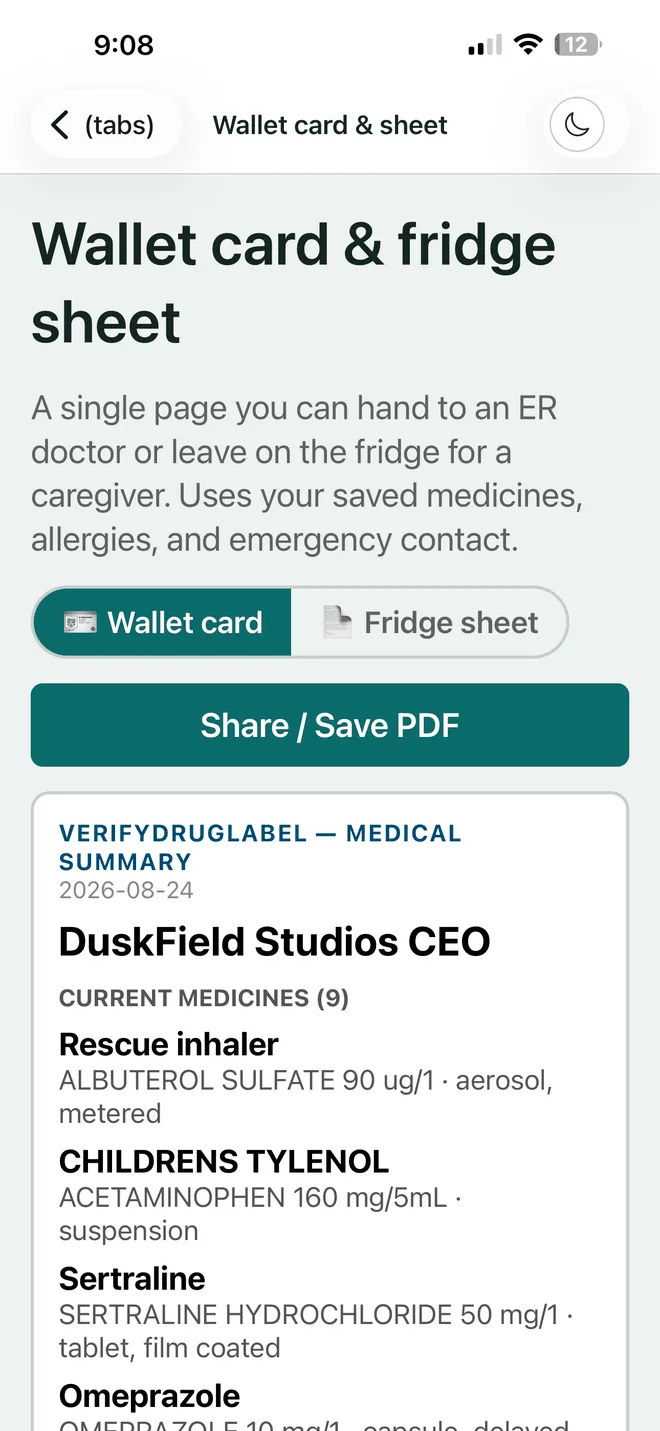
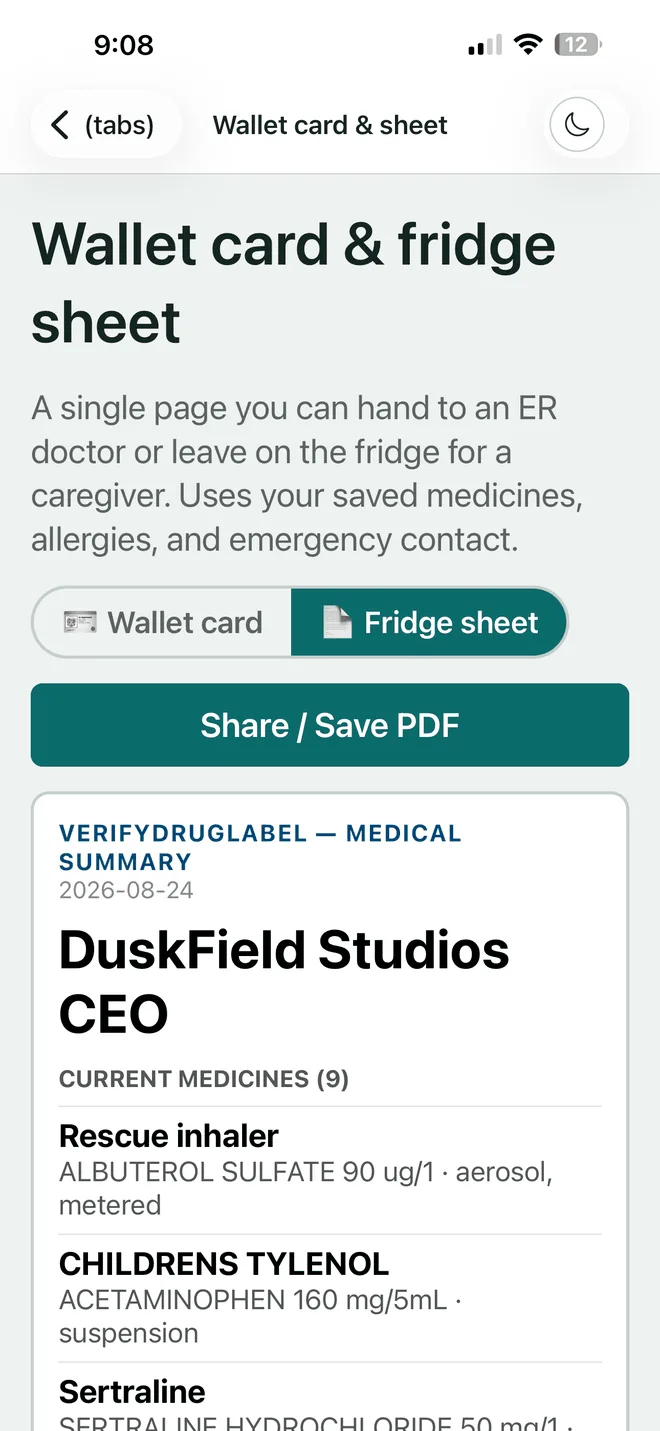
Every medicine, every allergy and one emergency contact, on a single sheet an emergency doctor can read in ten seconds. Print it for the fridge, or fold the wallet card into a purse.
It is built from the list you already keep, so it is never the out-of-date version on the back of an envelope.
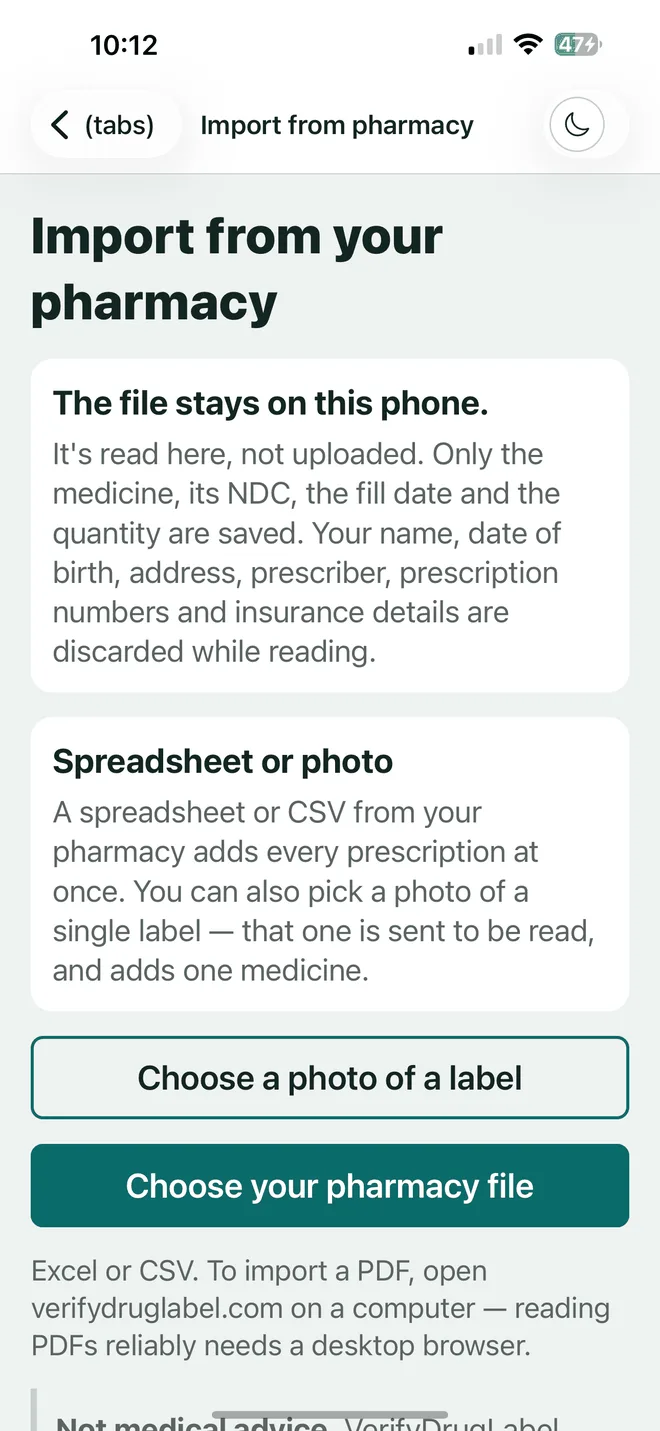
Download the prescription record your pharmacy already offers — the spreadsheet or CSV file — and hand it to the app instead of typing nine bottles in by hand.
The file is read on your own device, and every row is shown to you before a single medicine is saved. Nothing is kept that you have not approved.
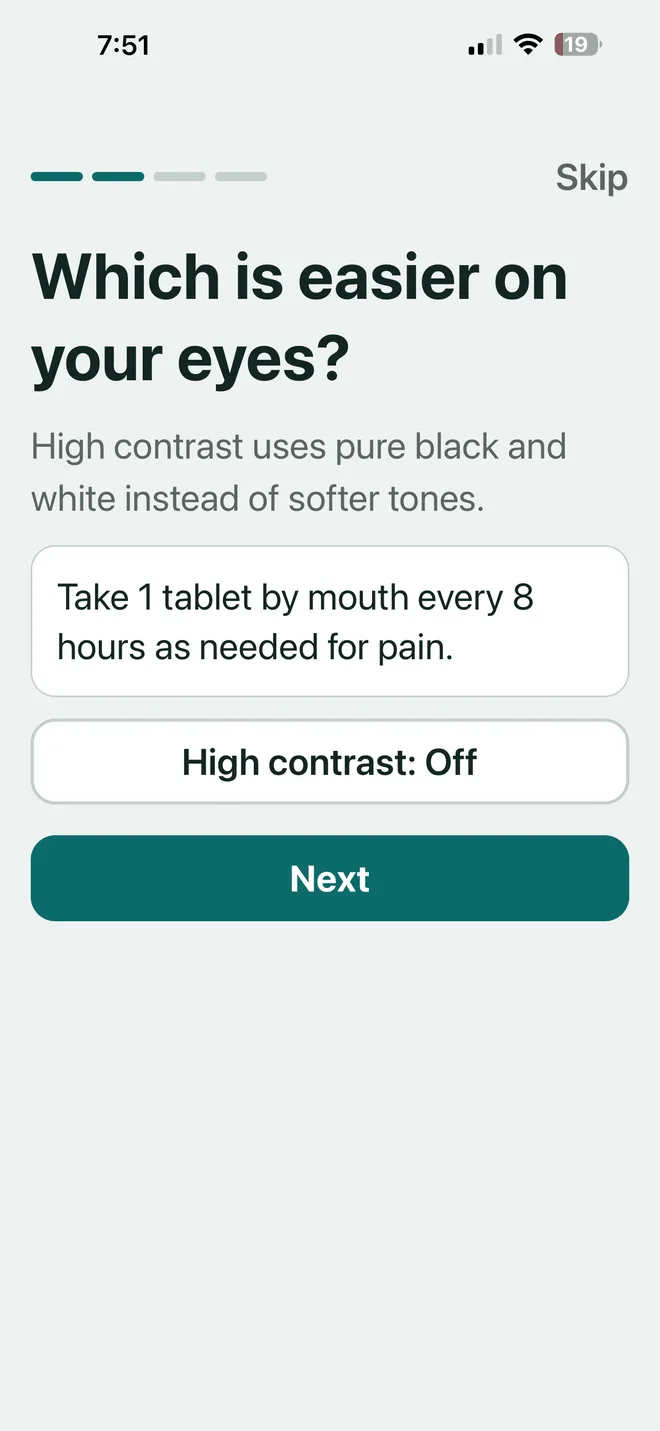
See how the import worksOnboarding asks which is easier on your eyes before it asks anything else. Whatever you answer applies to every screen, on the phone and on the web, for good.
| Provision | Specification |
|---|---|
| Text size | 18, 20, 24 and 28 pt, and 48 pt in Elder mode. The layout holds at every step. |
| Contrast | High contrast is pure black on pure white, in both the light and the dark theme. |
| Light and dark | A full dark theme, brightened so contrast still clears AA. Switch it from any screen. |
| Read aloud | Device-native speech on the phone and in the browser. Any label, any section. |
| Tap targets | No control below 44 pixels. Primary actions are full-width buttons. |
| Motion | Animation is dropped entirely when the system asks for reduced motion. |
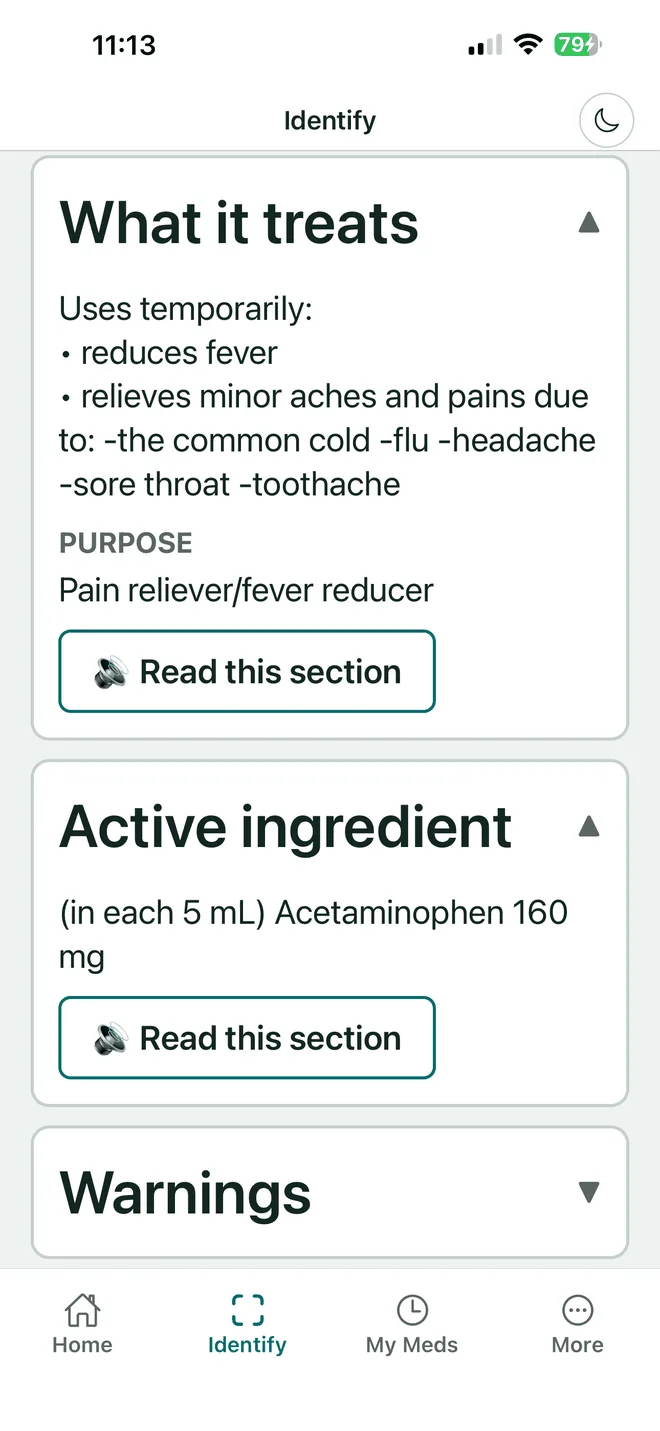
Comes from the FDA's openFDA database by way of NIH DailyMed, and is displayed as written. No paraphrase, and no model in the middle.
Come from the FDA enforcement feed, with the class, the reason, the firm and the initiating date shown exactly as filed.
A barcode or 2D code is decoded on your phone, and only the code is sent. Photograph a label instead and that photo goes to our AI provider to be read, then is discarded — never stored by us or by them.
Stays private to you and to anybody you deliberately share it with. It is never sold and never brokered.
What it is not. VerifyDrugLabel is an accessibility reader. It does not diagnose, prescribe or interpret drug interactions. Always check the physical label and ask your pharmacist or your doctor before you act.
There is no cheaper tier with the safety checks taken out: every plan includes every feature and covers your whole household, and only the price and billing period differ. Seven days free when you sign up, no card taken to start.
$2.99 / week
For one short course of something new.
$5.99 / month
Month to month, cancel whenever.
$39.99 / year
Works out at $3.33 a month.
See full pricing and plan details →
Said plainly, because nobody starts a trial they are afraid of.
A price on its own is just a cost. Here is the company it keeps.
Any one of those costs more than a year of this. That is the trade, and it is the only argument we are making.
Yes. Every label comes from the FDA's openFDA database by way of NIH DailyMed and is shown as written, and every screen names its source and the date it was retrieved so you can check it. The one exception is optional: switch on plain-English directions and you also see an AI-written rewrite of the directions, labelled as AI-generated, with the FDA original a tap away. Always confirm against the physical label.
On manufacturer packaging (the box or bottle as it comes from the drug maker), the striped barcode and the square 2D DataMatrix code now carried on U.S. Rx packaging. A pharmacy-dispensed bottle — the vial with your own name and pharmacist on it — usually has a barcode that identifies your fill for the pharmacy, not the drug, so it typically won't scan. For that, type the NDC printed on the label instead, or search by name. Prescription or over-the-counter, brand or generic; the 2D code also captures the expiry date for you.
Since late 2025, U.S. packaging for prescription-only (Rx) drugs carries a small square DataMatrix code from the manufacturer, separate from the striped barcode. It holds the drug's NDC, its lot number and its expiration date. It is not a QR code, which has three large squares in its corners. Note this is the manufacturer's original packaging — a pharmacy's own dispensing label, once it's on your bottle, doesn't carry this code.
7 days with the whole app, and no card is collected to start — you give card details only when you decide to subscribe. If you do nothing, access ends on day 8 and nothing is charged, because we never had a card to charge.
No. VerifyDrugLabel is an accessibility reader. It reads and verifies label data — it does not interpret it, diagnose, prescribe, or tell you whether a medicine is safe for you. Always verify against the physical label and ask your pharmacist or your doctor before acting.
It depends which one you use. A barcode or 2D code is decoded on your own phone, and only the code is sent to us. If you photograph a label for the app to read, that photo is sent to our AI provider (Groq, or our backup, DeepInfra, if Groq is unavailable), read, and discarded — it is never stored by us or by them, and it is never used to train a model. Nothing writes the image to our servers or our logs. We keep the NDC and the extracted text in your history, never the picture. Your medicine list stays private to you and to anyone you deliberately share it with, and it is never sold.
Seven days with the whole app. An email and a password to begin — no card until you decide to subscribe. Read one label properly and you will know inside a minute whether this is for you.
Informational only, and not medical advice. Always verify against the physical label and ask your pharmacist or doctor.